
Criminal case software
Built on your state's law.Kept on your computer.
Indictra builds desktop toolboxes for prosecutors and defense counsel. Each one is written for one state's statutes, courts and forms. It reads the case on the attorney's own machine and leaves every decision to the attorney.
- case files on our servers
- 0case files on our servers
- toolboxes in New York
- 2toolboxes in New York
- telemetry or tracking
- 0telemetry or tracking
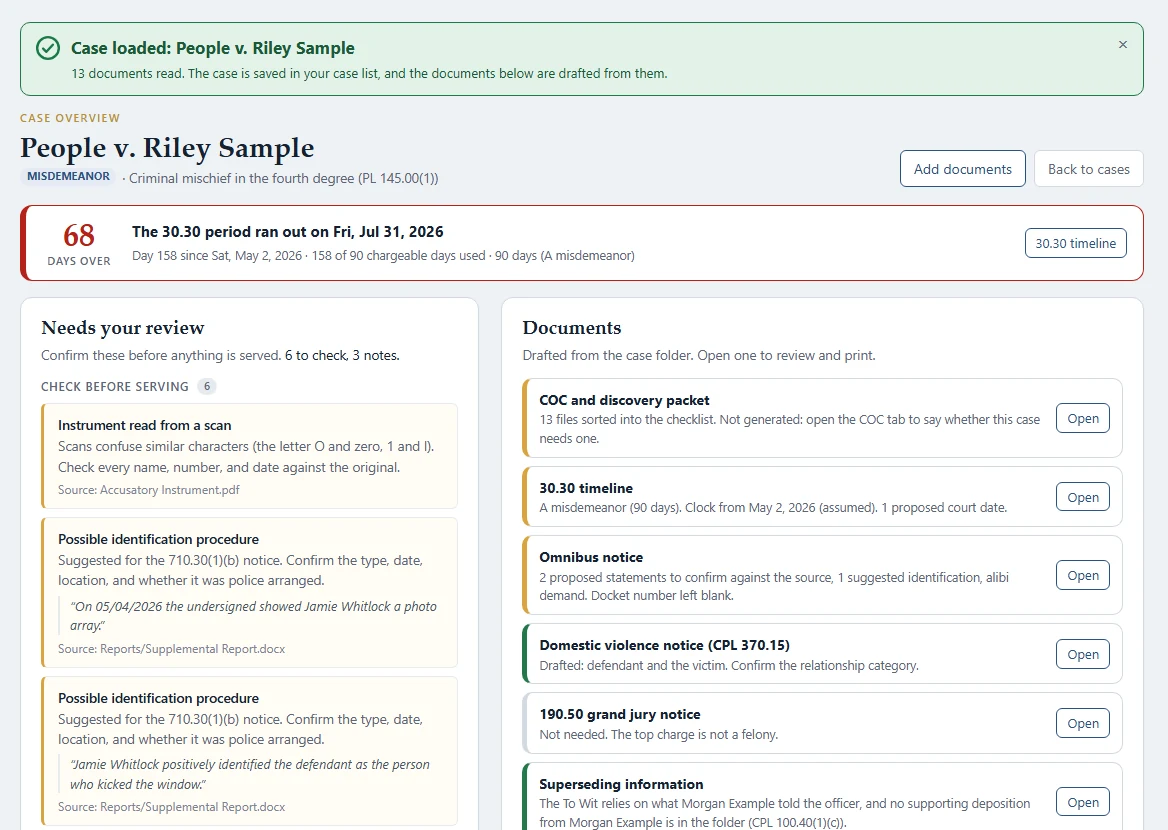
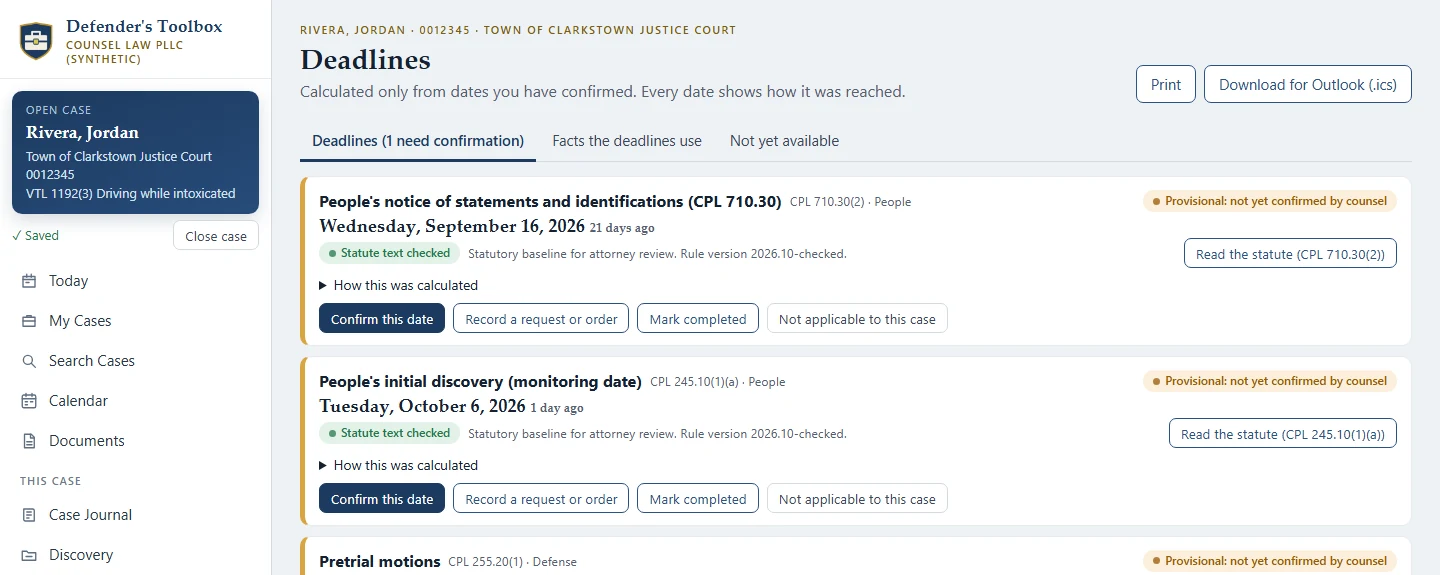
Screens from the apps, using invented sample cases.
Signed Windows installers your IT team can deploy
Updates go only to licensed offices
Prosecution and defense products never share data
Toolboxes by state
Law is local. So is our software.
New York
All New York toolboxes
For the prosecution
Prosecutor's Toolbox
New York District Attorney's offices
From the case folder to the paperwork, drafted for the ADA's review.
- Reads the whole case folder
- Drafts, never decides
- A 30.30 clock on every case

For the defense
Defender's Toolbox
New York criminal defense counsel: retained, assigned and institutional
Discovery, deadlines and disclosure, kept from the facts you confirm.
- Every deadline shows its work
- Discovery, reconciled
- Private stays private
Practicing somewhere else? Choose your state on the map and tell us what you need. Requests help us decide where to build next.
How the toolboxes work
Software that knows its place in a case.
Case files stay on the computer
Documents are read on the attorney's own machine. Indictra runs no server that holds case data, there's no account to sign into, and nothing reports back.
The law is shown, not paraphrased
Deadlines come from versioned rules read against official statute text. Every date shows its rule, its trigger and the arithmetic. A date that can't be calculated says so.
The attorney decides
The toolboxes draft, calculate and flag. Nothing is filed, served or sent by the software, and nothing is marked done until a person confirms it.
One state at a time
Statutes, courts and forms differ from state to state. A toolbox is offered in a state only once it's built and checked for that state's law.
Prosecution and defense
Two toolboxes. Two sides. Never one database.
- Separate apps, with separate license keys and separate update servers.
- Neither product can read the other's files, and there's no shared account behind them.
- Case data never reaches Indictra from either side, so there's nothing of yours for us to mix up, sell or lose.
Getting started
Install it, add a case, review the work.
- 1
Install on Windows
Signed installers, per office or per firm. Updates arrive automatically, and only to licensed copies.
- 2
Add the case
Drop in the case folder or the discovery. It's read on this computer, scanned pages included.
- 3
Review and finish
Drafts, deadlines and checklists wait for you. You confirm, correct, print and sign.
See it on a sample case.
We'll walk you through the toolbox for your side and your state, using invented cases, not yours.